Host Network Information
The Network tab of the Hosts form gives access to the Host's network interfaces and to the list of its exposed network ports. It also offers helper commands to test the Host's exposure from the outside.
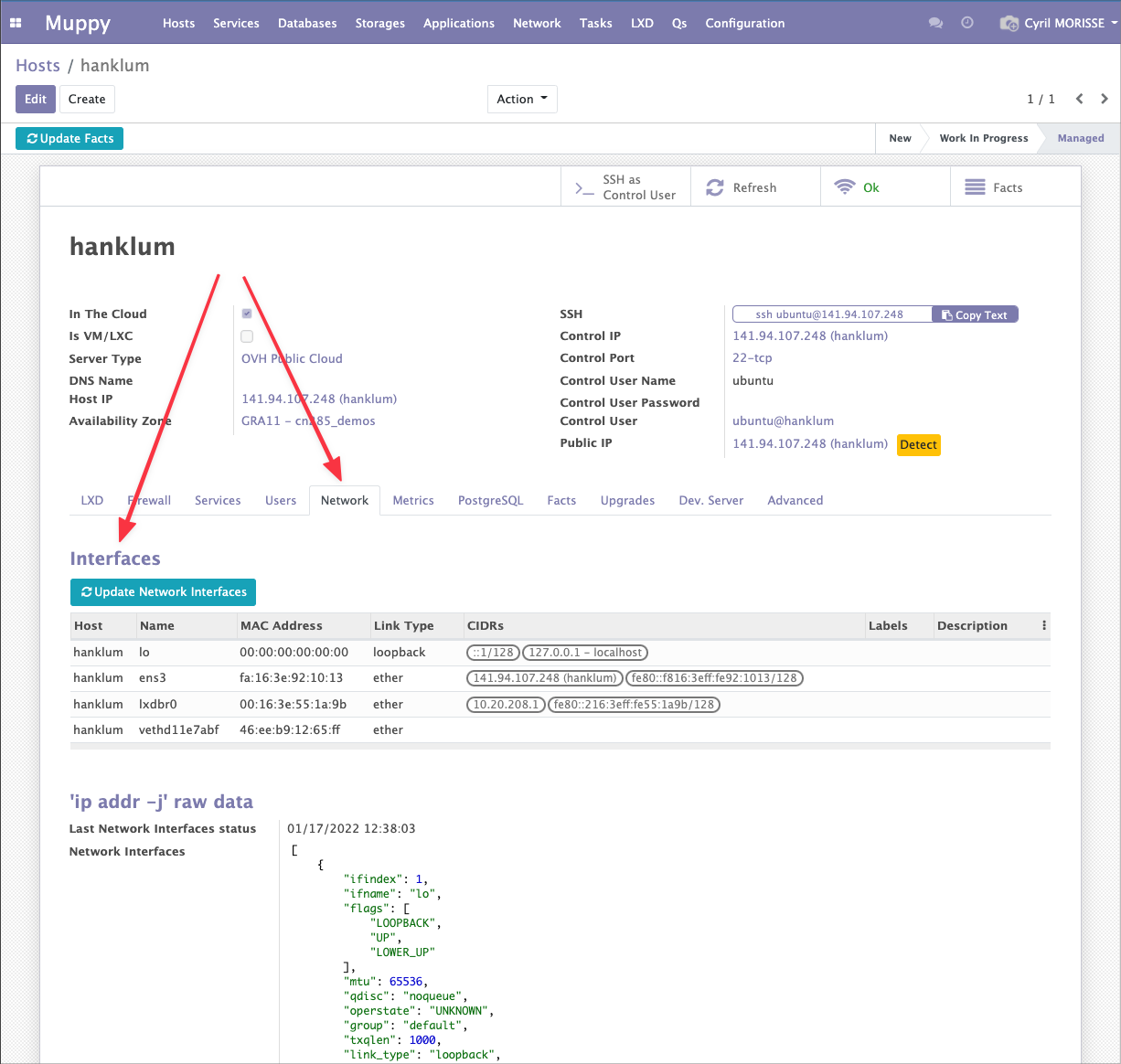
Interfaces
The Interfaces list is built from the output of the sudo ip -j addr command (i.e. ip --json addr), whose raw JSON output is available in the 'ip --json addr' raw data group at the bottom of the tab.
The Update Network Interfaces button (btn_collect_network_interfaces) re-runs sudo ip -j addr on the server and refreshes the list. The Last Network Interfaces status timestamp records when the data was last collected.
Each interface row shows:
| Column | Description |
|---|---|
| Name | The interface name (e.g. eth0, lo). |
| MAC Address | The interface hardware address. |
| Link type | The link layer type. |
CIDRs (cidr_ids) |
The IP addresses bound to the interface, as CIDR tags. |
| Labels | Free-form labels. |
| Description | Free-form notes. |
Info
Network interfaces are Facts consumed by Muppy Tasks that manage the UFW Firewall and the Traefik reverse proxy.
Exposed Network Ports
The Exposed Network Ports group lists the ports the Host publishes (exposed_port_ids → mpy.host_network_port). This list drives how Muppy reconfigures Traefik for the Host's applications.
| Column | Description |
|---|---|
Network port (network_port_id) |
The published port. |
Address (cidr_id) |
The CIDR the port is exposed on (typically localhost or any). |
Interface (ifname) |
When the Host has several public interfaces, forces which interface to use. |
| Service | Free-form service name. |
Do not publish (do_not_publish) |
When checked, the port is ignored when Traefik Applications are reconfigured. |
Helpers
nmap (Open ports) Test
The nmap (Open ports) Test helper (nmap_network_helpers) gives you a copy-paste command to probe which ports are reachable on the Host's public IP:
nmap -Pn <public_ip>
Tip
Run this command from another Host that is NOT authorized in the Host's Firewall tab. Probing from an allow-listed address would show ports that are in fact closed to the public, defeating the purpose of the test.
Raw Data
The 'ip --json addr' raw data group displays the full JSON returned by the last sudo ip -j addr collection, alongside its collection timestamp. It is mostly useful for debugging interface detection.