Asynchronous Task Execution (Launch as Job)
As a general rule, Muppy executes asynchronously — via a Jobs system — all Tasks whose expected execution time exceeds a few seconds.
The asynchronous execution of a Task is triggered by sending a message into a Queue (Muppy uses the IMQ queue). The messages are then consumed by Workers that perform the processing defined by the Tasks.
The messages are accessible via:
- the IMQ Message field of the Task Run form view
- the Muppy / Qs / Messages menu
The form view of a Message gives access to all the information relating to the processing — and therefore to the execution — of a Task:
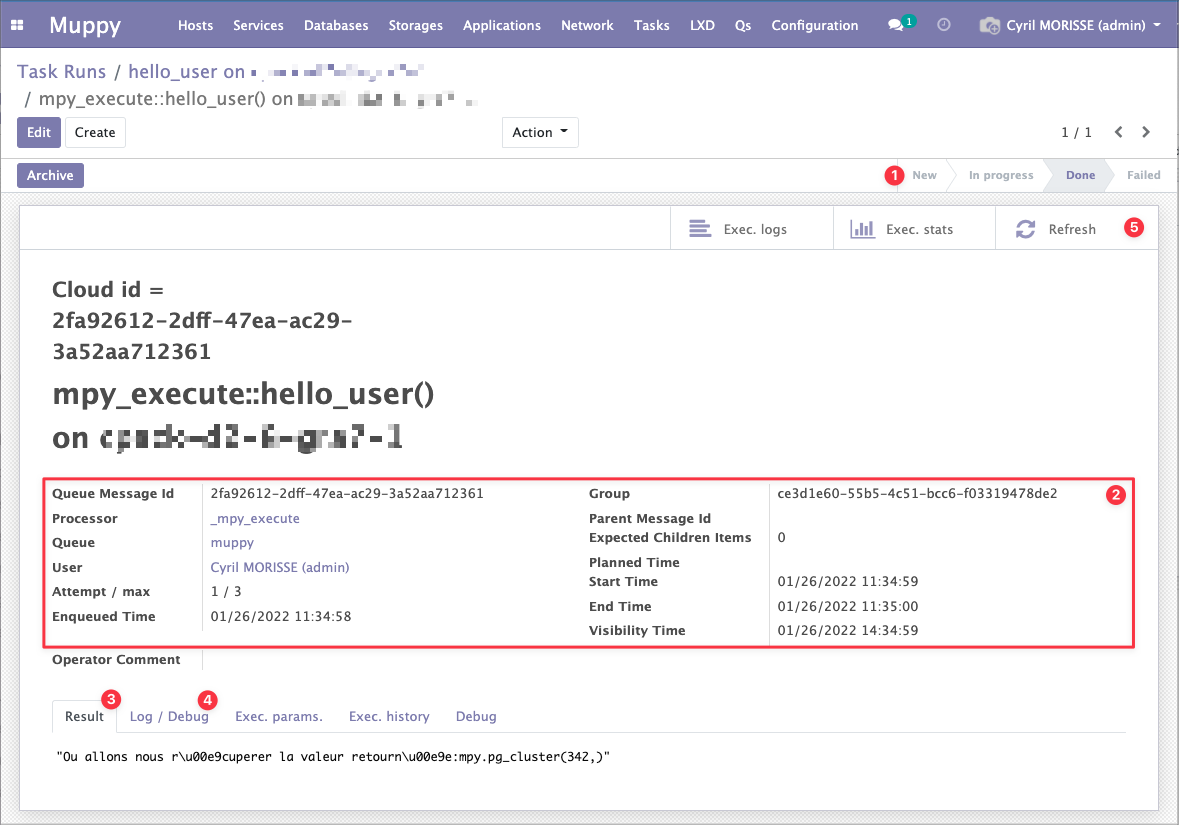
- The processing status of the Message / Task.
- The technical information relating to the processing and its timing.
- The value returned by the Task.
- The log of commands executed by the Task and the execution logs.
- The Refresh button refreshes the Task information while it is running (In Progress).
Success
Remember to use the Refresh button to refresh the information of a message that is being processed (with status In Progress).