Managing authorized_keys
Users Tab of Hosts
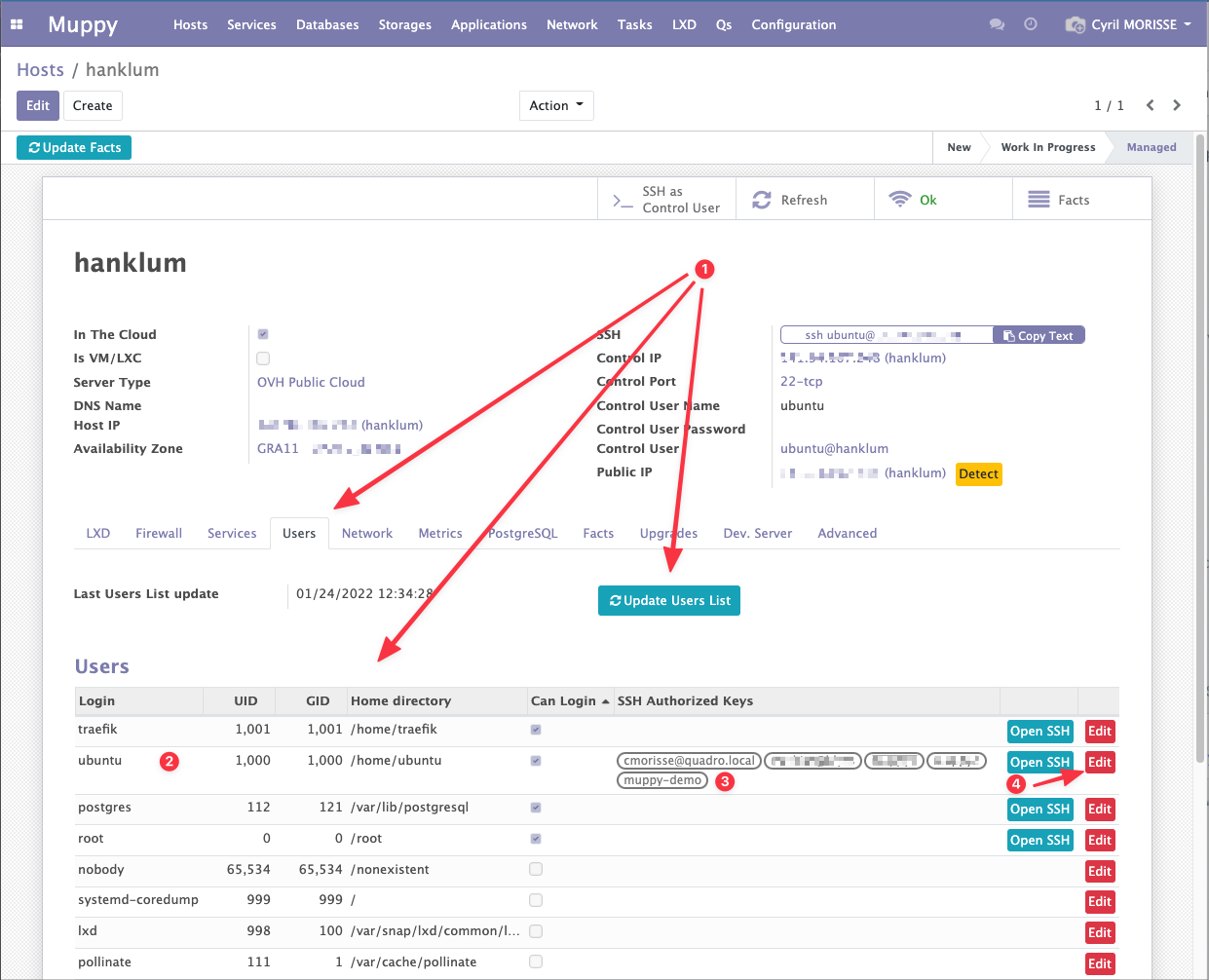
The Users tab of Hosts gives access to the configuration of the authorized SSH keys per user.
This tab lets you:
- Access and refresh the list of Linux Users of the Host
- View the main information of each User
- View the list of SSH keys present in
~/.ssh/authorized_keys - Access the form view that lets you edit the User
Users Form View
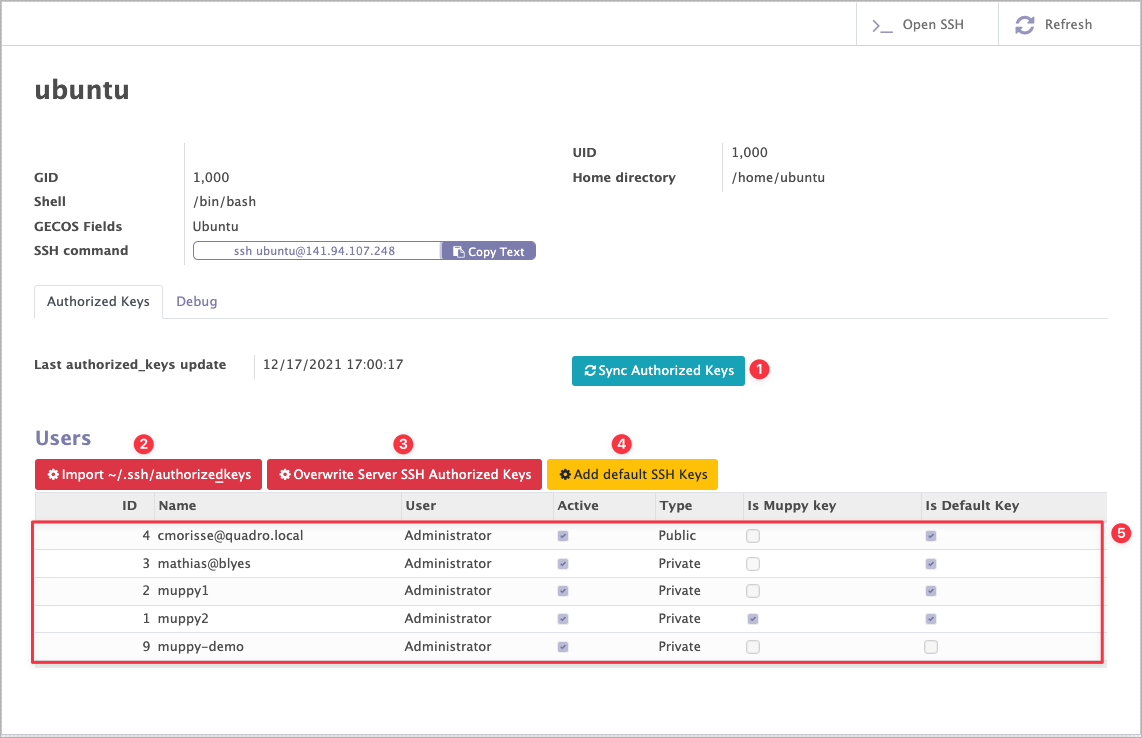
The Authorized keys tab of a User's form view lets you manage the content of the ~/.ssh/authorized_keys file from Muppy using the following functions (see the next image):
-
The
 button:
- adds to the Muppy list #5 the keys present in the
~/.ssh/authorized_keysfile that Muppy does not know about. - adds to the
~/.ssh/authorized_keysfile the keys present in the Muppy list #5 that are not present in the file.
At the end of Sync Authorized Keys, the Muppy list #5 and the
~/.ssh/authorized_keysfile contain the union of the keys that were present in the Muppy list #5 and the~/.ssh/authorized_keysfile. 2. The button replaces the content of the Muppy list #5 with the content of the User's
 ~/.ssh/authorized_keysfile. 3. The button replaces the content of the User's
 ~/.ssh/authorized_keysfile with the content of the Muppy list #5. 4. The button adds to the Muppy list #5 the default SSH keys that are not yet there. Note that this button does not update the content of the User's
 ~/.ssh/authorized_keysfile. You must therefore remember to use or
or 
- adds to the Muppy list #5 the keys present in the