Creating a "Shell Script" Task
"Shell Script" Tasks are the only ones that can be created by Muppy users from the interface.
The Muppy / Tasks / Tasks menu gives access to all the Tasks known to Muppy.
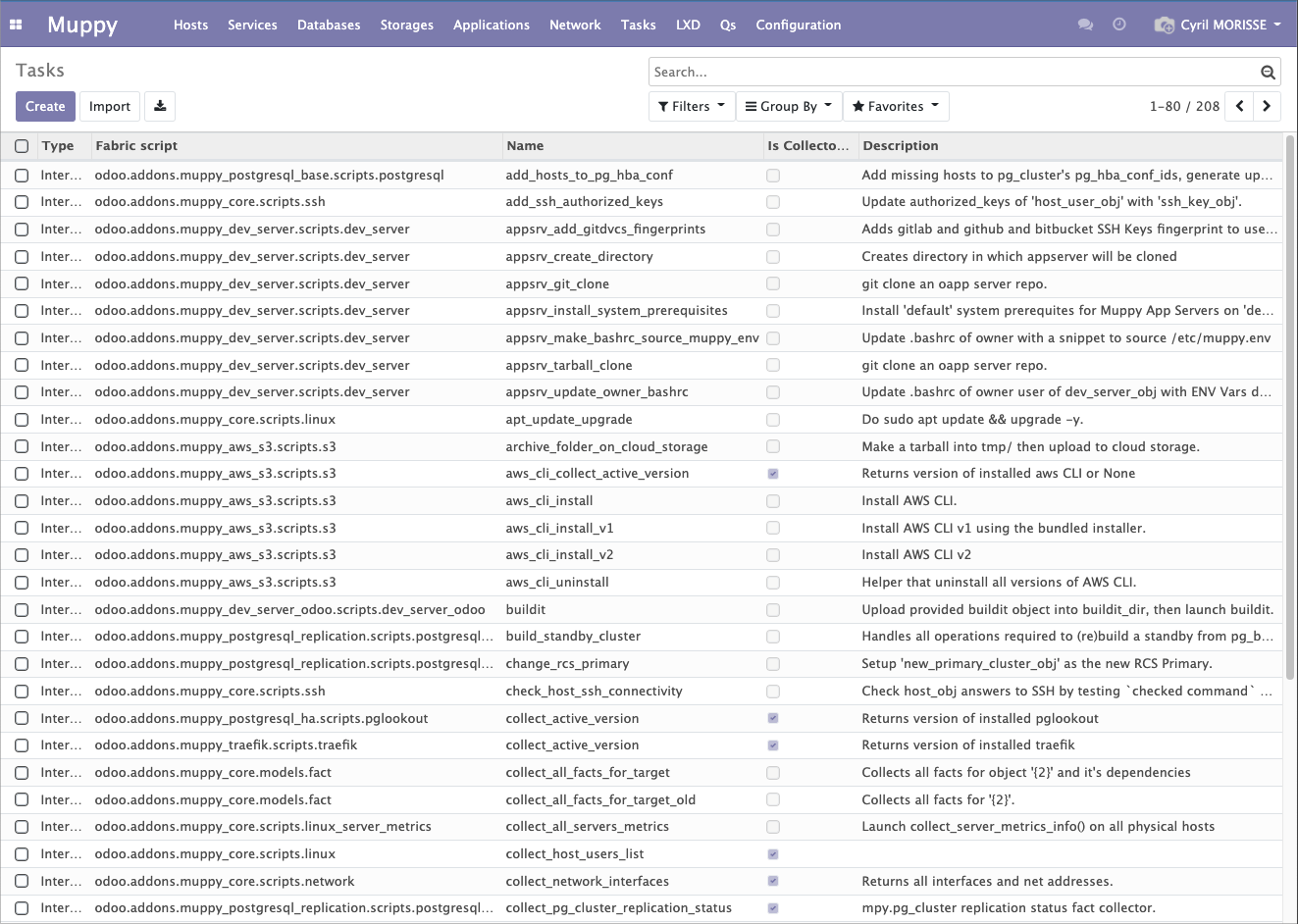
Creation Form
Click the Create button to open the following creation form.
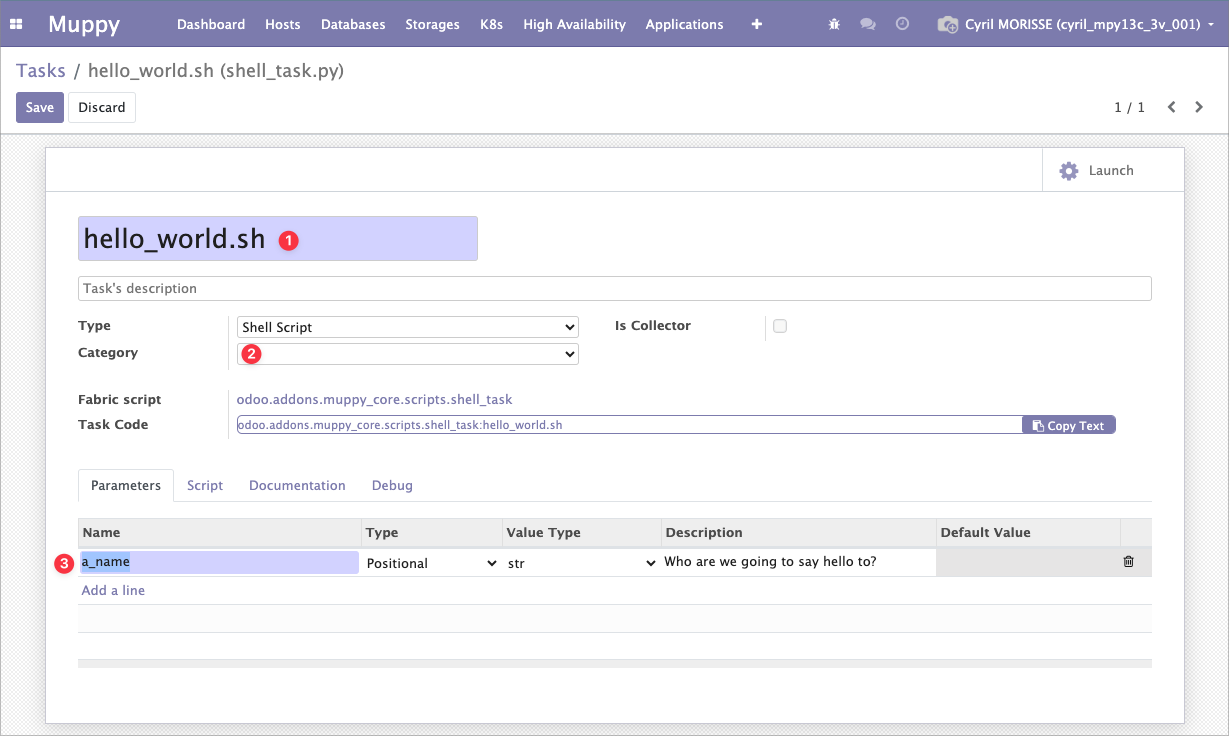
- The Task name is the name of the script file that will be generated (==it must comply with Linux file name constraints==).
- If the script is a particular callback, you must select its Category — otherwise you will not be able to select it.
- Here you declare the parameters (name, type, description).
Defining the Parameters
Defining them lets Shell Script Tasks have the same ergonomics in Task Runs as Internal Tasks.
The declared parameters:
- will be entered in the Task Runs
- must match the parameters expected by the callbacks
Script Tab
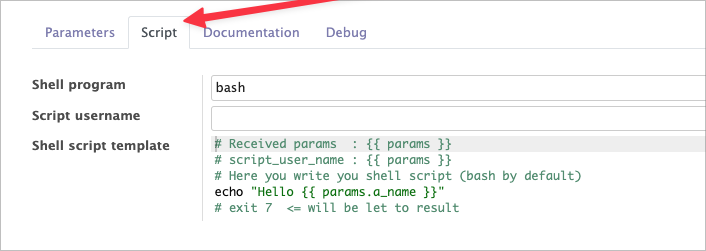
Use the Script tab to enter the commands that will be executed.
The script is entered as a Jinja2 template.
Using Parameters in Scripts
The Task parameters are injected into the Jinja2 context in an object (a Python dict) named params.
In the example above, the a_name parameter declared on the Task is retrieved in the script by the template {{ params.a_name }}.
Defining the Username That Executes the Script
By default (if Script username is empty), the user that executes the script is the Control User of the host.
You can force a specific username, e.g. traefik.
It is also possible to extract the username from the parameters by entering a template whose context directly contains the parameters: {{ param_name..... }}
Example
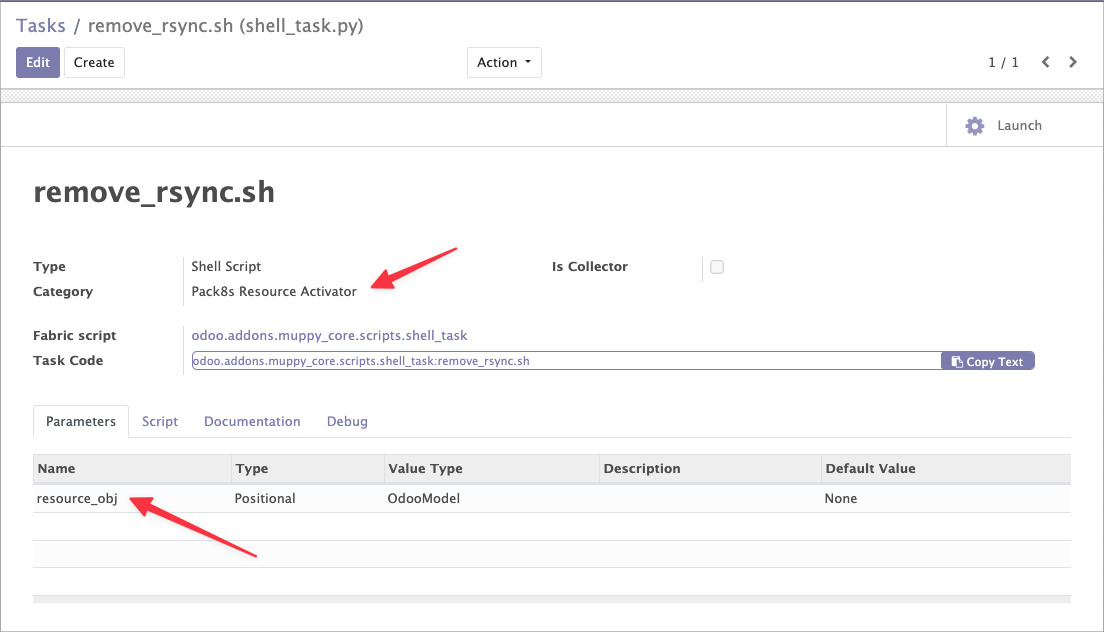
The following example shows a callback Task of category Pack8s Resource Activator in charge of removing a line from the crontab of the Owner of an LXC Server when the LXC Server is activated, in the case of a Switchover or Failover.
Note:
- The Category: here it is a Pack8s Resource Activator callback. It must be filled in so that the Task is available for selection in the Resource form within the Meta Cluster.
- The resource_obj parameter is imposed by the Category. The user must create it by copying an existing Callback. All tasks with this Category will have this parameter.
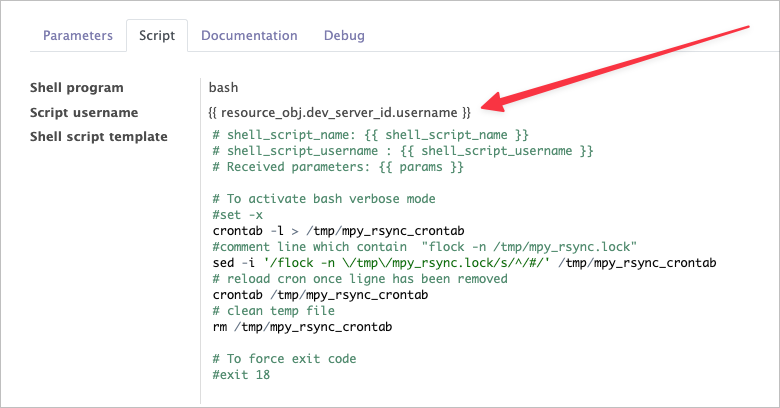
Defining the username by extracting from parameters:
- In this example, at execution time, the user that executes the script is extracted from the resource_obj parameter with the template
{{ resource_obj.dev_server_id.username }}, which retrieves the owner user of the LXC Server associated with the resource.