Managing SSH Keys
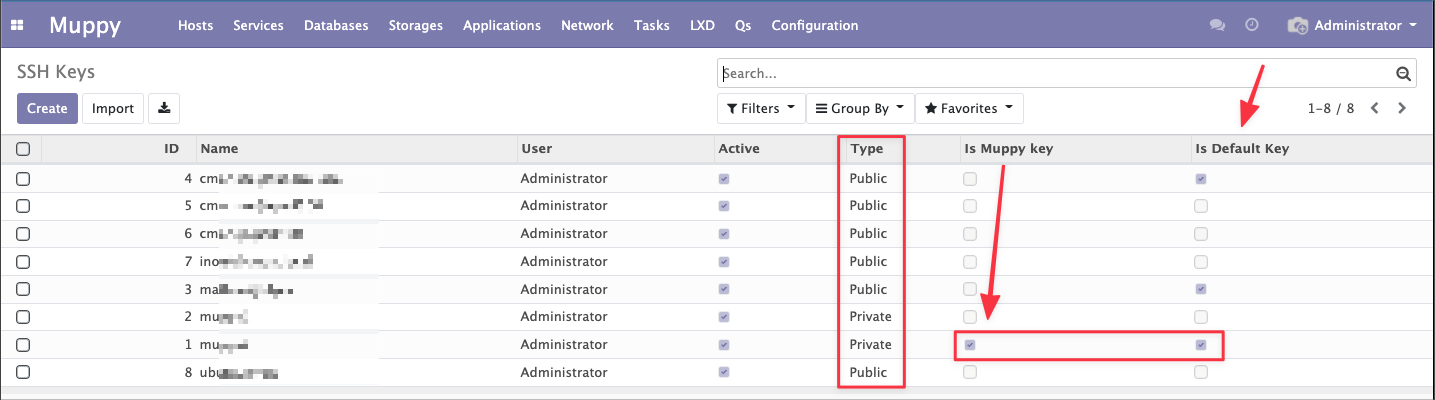
The Muppy / Configuration / SSH Keys menu lets you edit the SSH Keys managed by Muppy.
Info
The Muppy Key is the private SSH key used by default by Muppy to connect to the Hosts it manages.
Warning
The Default Keys are public keys automatically injected into Hosts at enrollment time (into ~/.ssh/authorized_keys).
Editing SSH Keys
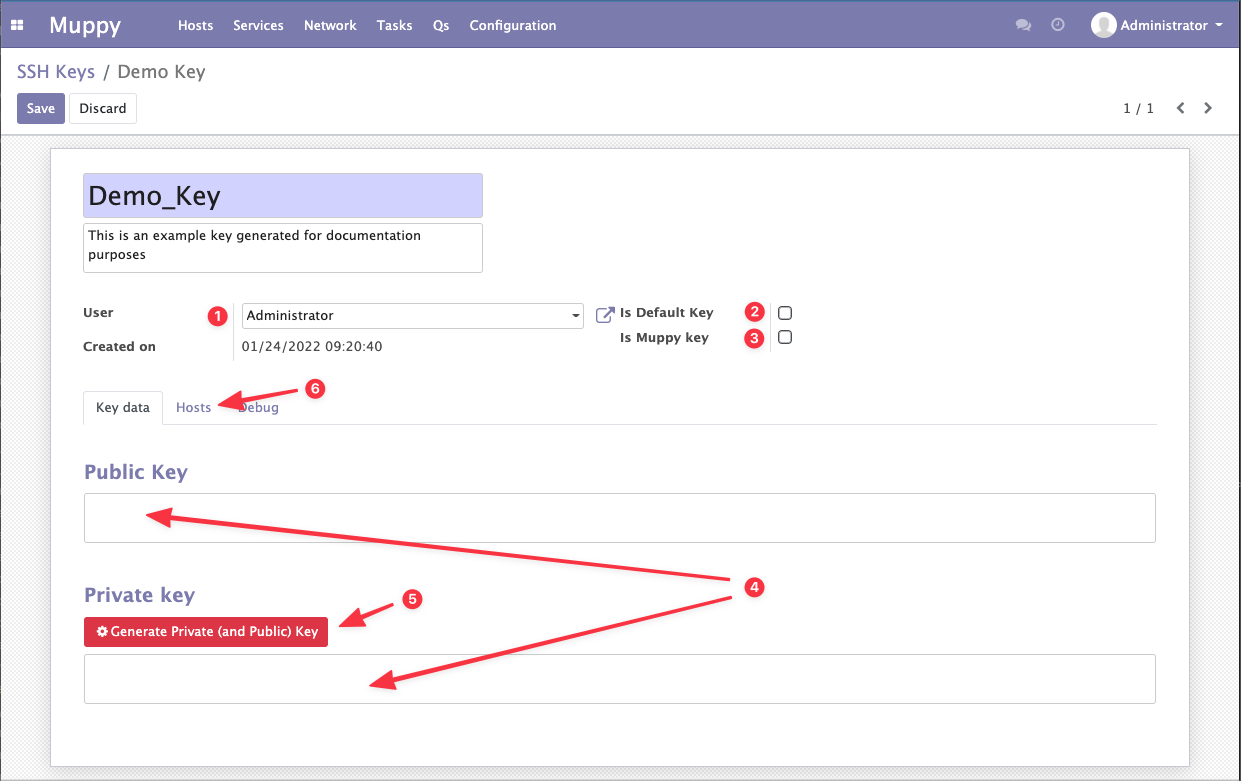
The SSH Key edit form lets you:
- Associate the key with a Muppy user (reserved for future use)
- Define the key as one of the Default Keys
- Define the key as the Muppy Key
- ==The Muppy Key is unique. When you tick the Muppy Key flag on an SSH key, the flag of the previous Muppy Key is disabled.==
- Enter a public or private key.
- Generate a private key.
- View the list of Hosts in which the key is authorized.
Danger
To generate a private key, Muppy uses the command ssh-keygen -t rsa -b 4096 ... The command is executed on the Muppy server.
Default Keys
Keys that have Is Default Key ticked are automatically added to the ~/.ssh/authorized_keys file of the Control User when a Host is enrolled.
This makes it possible to automatically grant SSH access on Hosts to a list of Muppy users.