Extracting a User's Private Key
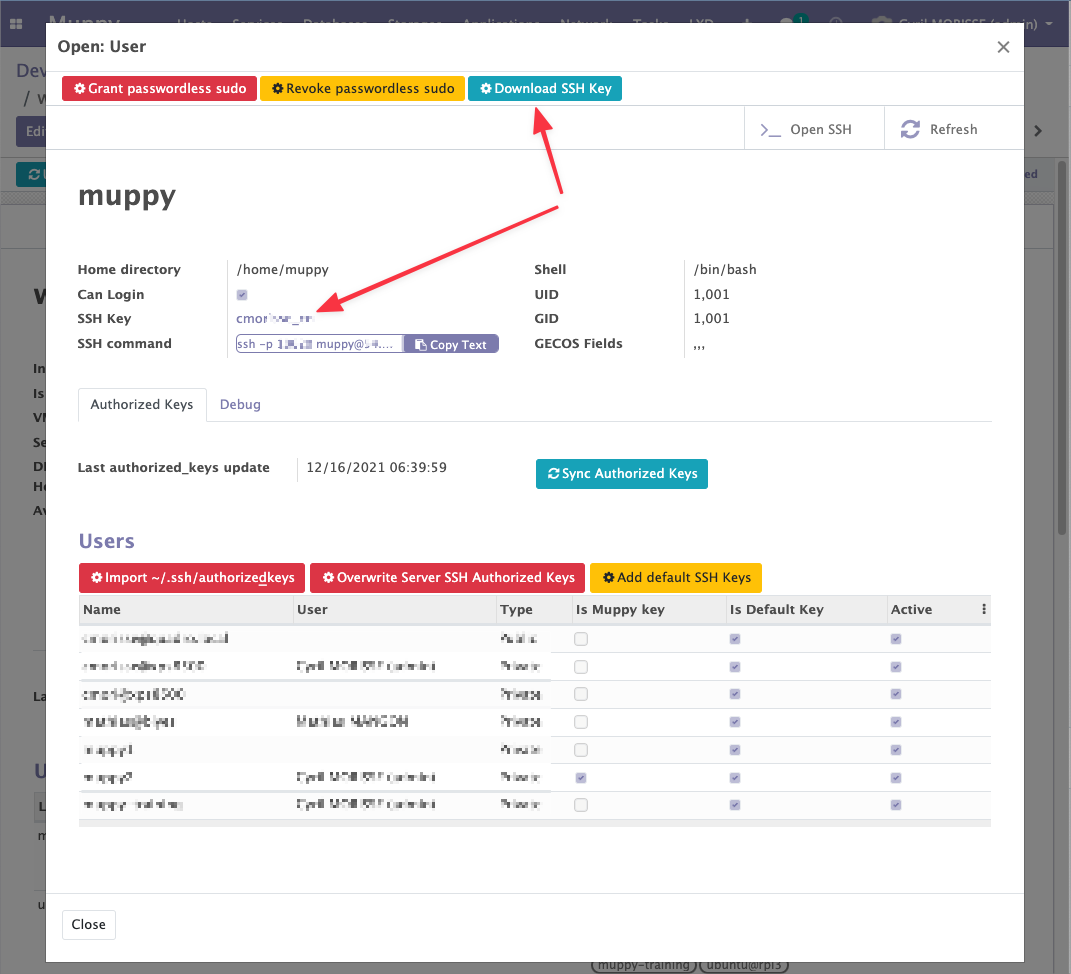
Muppy lets you retrieve the private key of a Host's User and add it to the list of Muppy SSH Keys, from where it can then be used as if it had been entered manually.
To do this you need to:
- Open the form of the relevant Linux User (from the Host)
- Click the
 button
Muppy extracts the SSH Key, stores it in the list, and displays it on the form as shown in the following image: