Creating Systemd Units
The Systemd Service Units can be created:
- Automatically by Muppy; this is the case, for example, with the
 button found at the top of the PostgreSQL Cluster form.
 - Manually
- With the Import Systemd Units Wizard
Manually creating a Systemd Service Unit for an existing service
Click the Create button in the Systemd Units list view, then provide:
- The id of an existing Systemd Unit
- The Host
and click the  button.
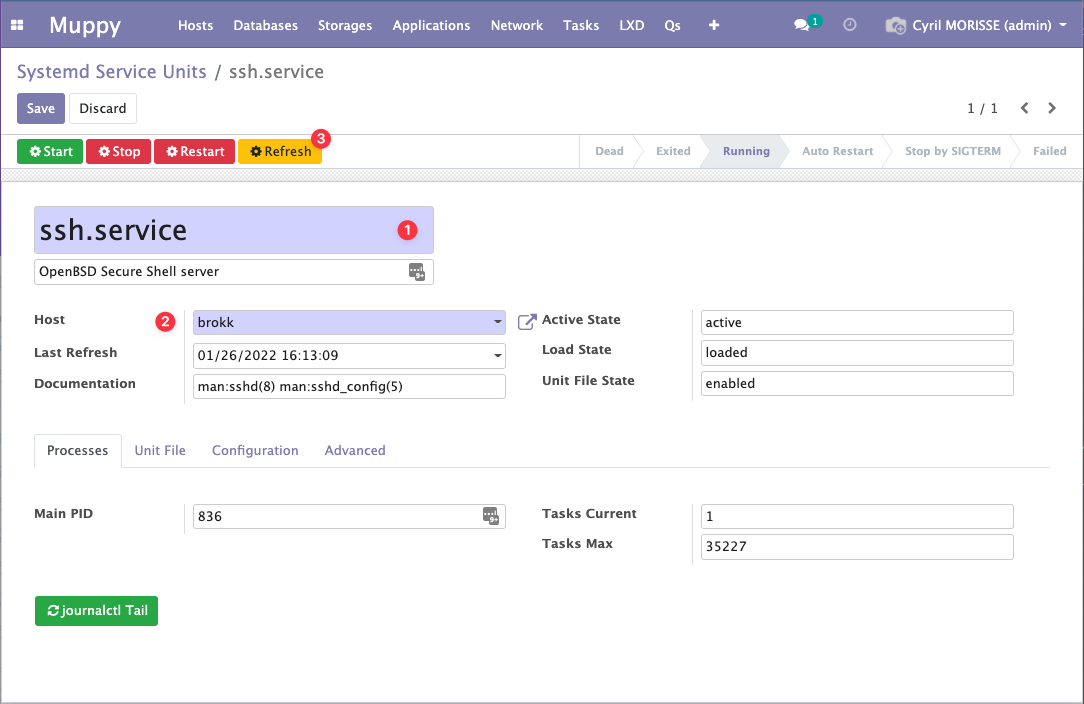
The wrapper is created; all that is left to do is click the  button. Muppy will refresh the Service Unit with the service data, as shown in the following image:
Manually creating a Systemd Service Unit from scratch
It is also possible to create a Systemd Service Unit ex nihilo. In this case, provide the name of the unit file you want to create as well as the host, and refer to the Editing Systemd Units page.
Import Systemd Units Wizard
Muppy provides a Wizard that simplifies the import of existing Systemd Units (accessible via the Muppy / Hosts / Systemd / Import Systemd Units menu):
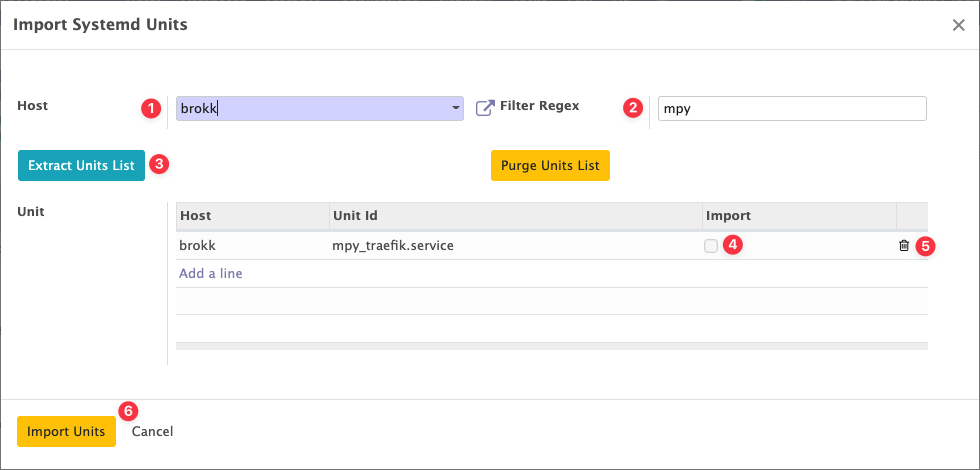
The Wizard works as follows:
- Provide the Host that hosts the Units
- Provide a Regular Expression used to filter the list of Units present on the Host
- Click the
 button to add the Units matching the Regex to the list of Units
 - Check the Import box for the units you want to import
- Optionally remove the lines you are not interested in
- When the list of Units you want to import is ready, click the
 button
Muppy will then create all the Service Units and run a refresh for each of them.